
The Real Problem Shopify Merchants Face at Checkout
Most Shopify store owners assume that adding more payment methods will automatically increase conversions.
It sounds logical—more options, more convenience, more sales.
But in reality, the opposite often happens.
You start noticing patterns like:
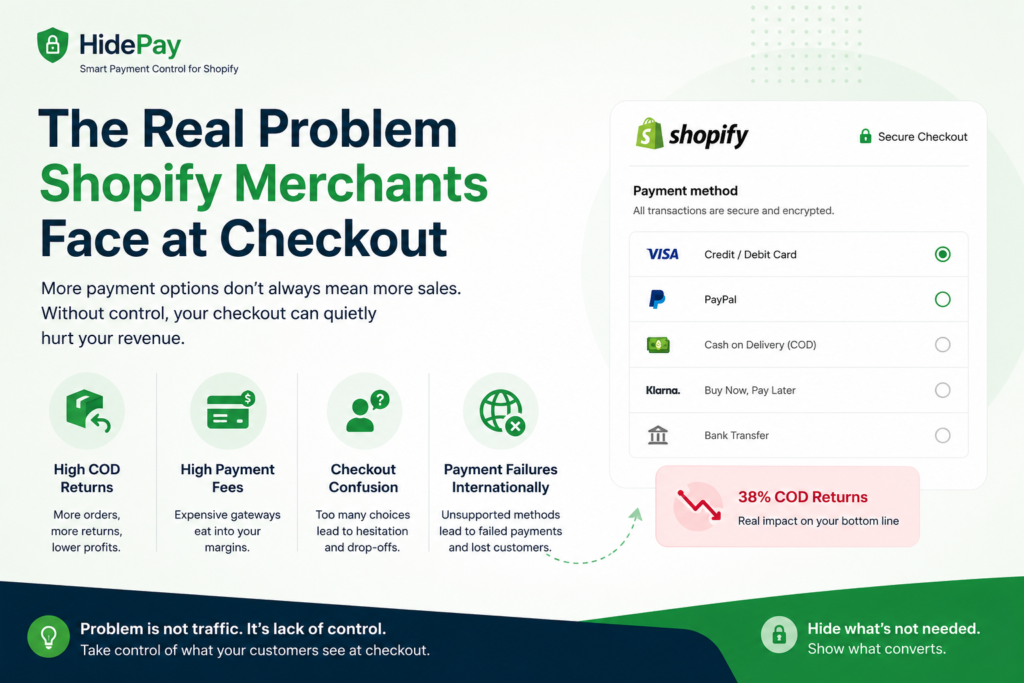
- Cash on Delivery (COD) orders increasing… but so do returns
- Customers choosing expensive payment gateways that cut into your margins
- International orders failing due to unsupported payment methods
- A cluttered checkout that feels confusing, especially on mobile
One store we worked with had COD enabled across India. Sales looked strong on paper, but when we looked deeper, nearly 38% of COD orders were being returned. That’s not just a logistics issue—it’s a profit leak.
Another store was offering multiple gateways including PayPal and BNPL options. Customers preferred BNPL, but the fees were eating up 5–7% per transaction, making several products barely profitable.
👉 The issue wasn’t traffic.
👉 It wasn’t even conversion rate.
👉 It was lack of control at checkout.
This is where hiding payment methods—strategically, not randomly—becomes critical.
What You’ll Learn in This Guide
This isn’t a basic tutorial.
We’re going to go deeper into:
- How Shopify actually handles payment methods behind the scenes
- Why you don’t have control by default
- When it makes sense to hide certain payment options
- The right way to implement rules using modern Shopify tools
- Real-world use cases that impact revenue, not just UX
By the end, you’ll understand how to turn your checkout from a passive step into a controlled, optimized system.
How Payment Methods Work in Shopify (Behind the Scenes)
Before you try to hide or customize anything, you need to understand how Shopify behaves by default.
Default Shopify Behavior
Out of the box, Shopify is simple:
👉 If a payment method is enabled → it is shown to every customer.
There’s no built-in condition like:
- “Only show COD below ₹10,000”
- “Hide PayPal for international users”
Everything is global.
This simplicity is great for beginners—but limiting once you scale.
Why Shopify Limits Checkout Customization
This is intentional.
Shopify locks down checkout because:
- It ensures security (no risky custom scripts)
- It maintains performance consistency
- It avoids breaking the most critical part of the store
Checkout is where money happens—Shopify prioritizes stability over flexibility.
A Simple Way to Understand the Architecture
Think of Shopify checkout as two layers:
- Frontend (what customers see)
- Backend logic (what decides what appears)
Most store owners only control the frontend (themes, design), but payment methods are controlled at the backend level.
That’s why you can’t just “hide” them with basic theme edits.
Why Hiding Payment Methods Is More Than Just UX
A lot of guides say this improves user experience—and that’s true—but it’s only part of the story.
Reducing Fraud & Fake Orders
COD is the biggest example.
In certain regions, COD orders:
- Have higher refusal rates
- Are often placed without intent to buy
Instead of disabling COD completely, you can:
👉 restrict it to specific locations
Protecting Profit Margins
Different payment methods come with different costs.
- Credit cards → standard fees
- PayPal → higher fees in some regions
- BNPL → often the most expensive
If customers always choose the most convenient option, not the most cost-effective one, your margins shrink silently.
Improving Conversion Rate
Too many choices create friction.
When customers see:
- 6–8 payment buttons
- Multiple unfamiliar logos
They pause, think, hesitate.
And hesitation at checkout = drop-offs.
Simplifying payment options often improves completion rates.
Controlling Customer Behavior
This is where it gets interesting.
By controlling what users see, you can guide them toward:
- Secure payment methods
- Faster processing options
- Lower-cost gateways
You’re not forcing decisions—you’re shaping them.
When You Should Hide Payment Methods (Real Use Cases)
Let’s move from theory to practical scenarios.
Location-Based Restrictions
If you serve multiple regions:
- Some locations have high return rates
- Some don’t support certain gateways
Example:
👉 Show COD only in metro cities
👉 Hide it in high-risk zones
Cart Value-Based Rules
Not every order should have the same payment options.
Example:
- Orders below ₹2,000 → COD allowed
- Orders above ₹20,000 → COD hidden
This protects you from high-value risk.
Product-Based Conditions
If your store sells different types of products:
- Digital products
- Physical goods
- Final sale items
You can:
👉 hide COD for digital items
👉 disable BNPL for non-returnable products
Customer Segmentation
Not all customers are the same.
Wholesale buyers:
- Prefer bank transfer or invoice
Retail customers:
- Prefer cards or wallets
Using customer tags, you can create completely different checkout experiences.
Time-Based Logic (Advanced)
Some stores even apply operational logic:
- Disable COD on weekends
- Enable specific gateways during promotions
This aligns checkout with fulfillment capacity.
Methods to Hide Payment Methods in Shopify
Method 1: Shopify Scripts & checkout.liquid (Outdated)
These were powerful tools in the past.
But today:
- They’re being deprecated
- Not supported long-term
- Risky for new setups
👉 Not recommended anymore.
Method 2: Shopify Functions (Modern Approach)
This is Shopify’s current system.
Shopify Functions allow you to:
- Apply logic at checkout
- Control payment visibility
- Run everything server-side
This means:
- No lag
- No flicker
- Stable performance
You can define rules like:
- Hide COD above certain cart value
- Restrict payment methods by country
The only limitation:
👉 It usually requires an app or custom development
Method 3: Using Shopify Apps (Most Practical)
For most store owners, apps are the easiest solution.
These apps use Shopify Functions internally but give you a simple interface.
You can:
- Create rules
- Combine conditions
- Test easily
Example rules:
- Hide PayPal for low-value orders
- Disable COD for certain zip codes
- Show BNPL only for specific products
Step-by-Step: How to Hide Payment Methods Using an App
Let’s break this down practically.
Step 1: Install a Payment Customization App
Choose an app that:
- Supports conditional rules
- Uses Shopify Functions
- Doesn’t affect performance
Step 2: Select the Payment Method
Decide what you want to control:
- COD
- PayPal
- BNPL
- Bank transfer
Step 3: Define Conditions
You can create rules based on:
Cart conditions
- Total amount
- Number of items
Customer conditions
- Tags
- Order history
Location conditions
- Country
- Zip code
Step 4: Combine Conditions
Most apps allow:
- “ALL conditions must match”
- OR “ANY condition must match”
This is where logic becomes powerful.
Step 5: Test Before Going Live
Always test:
- Different addresses
- Different cart values
- Mobile vs desktop
Never assume it works—verify it.
Advanced Use Cases (Where Real Impact Happens)
High-Risk + High-Value Orders
Combine conditions:
- Cart > ₹30,000
- High-risk location
👉 Show only secure payment options
Margin-Based Optimization
If a product has low margin:
👉 Hide high-fee payment methods
Hybrid Cart Logic
If cart contains both digital + physical:
👉 Disable COD
B2B Checkout Experience
For wholesale customers:
👉 Show only bank transfer or invoice
Express Checkout Control
Apple Pay, Google Pay, and PayPal Express can bypass steps.
Sometimes you need to:
👉 limit or disable them for specific scenarios
What Most Blogs Don’t Tell You
Express Checkout Can Bypass Your Rules
These options skip parts of checkout, which can ignore your logic.
Payment Order Matters
Customers tend to choose the first option they see.
Positioning impacts revenue.
Over-Restricting Can Hurt Conversions
Removing too many options can backfire.
Always leave at least 2–3 choices.
Shopify Still Has Limitations
Even with advanced tools, not everything is fully customizable.
How to Test Payment Logic Properly
Don’t skip this step.
Testing Checklist
- Different locations
- Different cart values
- Logged-in vs guest users
- Mobile vs desktop
Metrics to Track
- Conversion rate
- Payment method usage
- Cart abandonment
A/B Testing Approach
- Apply one rule
- Compare before vs after
- Scale what works
Real Case Study: Reducing COD Returns
A store had:
- COD enabled everywhere
- Return rate: 38%
After implementing rules:
- COD restricted to selected regions
- High-value orders blocked
Results:
- Return rate dropped to 12%
- Profitability improved significantly
Final Thoughts
Most Shopify stores focus heavily on:
- Ads
- SEO
- Design
But very few optimize what happens at checkout.
And that’s where the real money is made.
Hiding payment methods isn’t just a technical tweak—it’s a way to:
- Reduce risk
- Increase conversions
- Protect margins
- Improve customer experience
Need Help Optimizing Your Shopify Checkout?
If you’re dealing with:
- High COD returns
- Confusing checkout flow
- Low profit margins despite good sales
There’s usually a deeper issue in your payment logic.
We help Shopify stores identify and fix these problems—from payment rules to full checkout optimization.
👉 You can request a free Shopify checkout audit, and we’ll show you exactly what needs improvement.